Skip to content
Free US local delivery

Comet (GL-RM1) Remote Keyboard Video Mouse

Original price $99.99 - Original price $99.99
Original price
$99.99
$99.99 - $99.99
Current price $99.99

※Only use the supplied power supply.

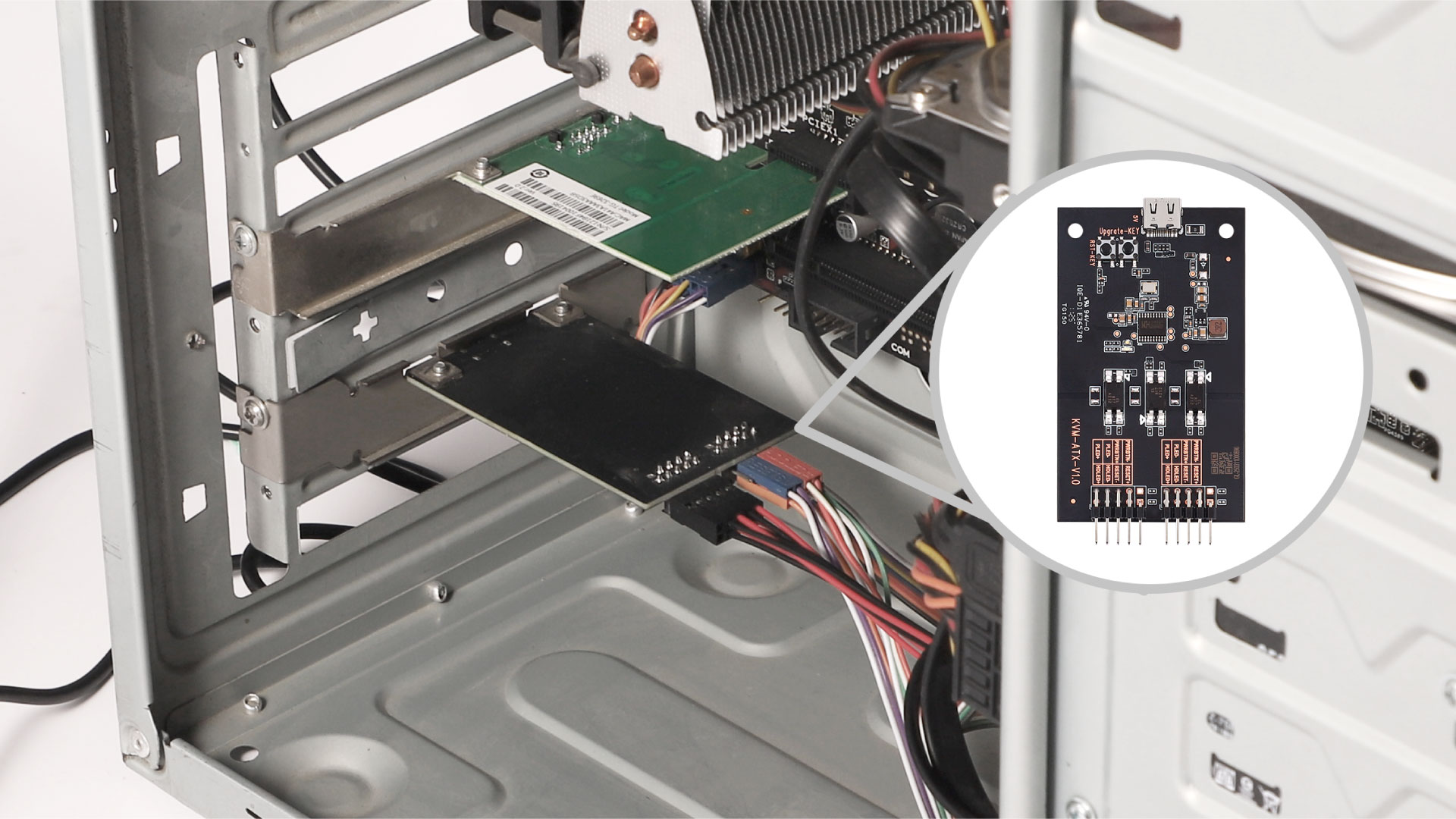
⚠️About ATX Board

Comet Compatibility: Seamlessly integrates with Comet (GL-RM1) to remotely control startup and reboot, as well as perform a forced reboot in the event of a computer failure.

Direct Motherboard Connection: Easily connects to the PC motherboard and Comet for straightforward setup and reliable performance.

Installation: Connect the ATX board to the PC motherboard and Comet (GL-RM1) to unlock advanced remote management capabilities.

⚠️BEFORE YOU BUY
  • Enjoy FREE SHIPPING for all products, with an estimated delivery time of 5-8 working days.
  • Products with the "Ship from China" tag are shipped from outside the US and are subject to TAX & VAT & longer delivery time.
  • If you are a customer located outside of the US, please click HERE to visit our Global Store for international shipping options.
🔥Bulk Order

For inquiries related to wholesale pricing or other questions about your order, please feel free to contact our customer service team at cs@gl-inet.com .


MEET Comet

Remote KVM over Internet

What is Remote KVM?

Remote KVM (Keyboard, Video, Mouse) is a device that lets you control a computer or server from anywhere, as if you were sitting right in front of it. Imagine you're traveling, but you need to access and fix a computer at your office. With a Remote KVM, you can see the screen, use the keyboard, and move the mouse just like you were physically there.

It's commonly used by IT professionals, businesses, and data centers to troubleshoot, manage, and maintain computers remotely without needing to be on-site.

Applications of Remote KVM for home and office use, remote controlling office computer at home using GLKVM application

Why Choose Comet?

One-time purchase - No subscription fees, ever

4K@30FPS video with H.264 hardware encoding for smooth performance

Remote file transfer - Even for offline devices

Ultra-low latency (30ms-60ms) for real-time remote control

USB-Device port for power control accessories or USB drives

Gigabit Ethernet for high-speed, stable connections

Type-C power supply for hassle-free setup

Remote Audio Output for immersive and complete remote control

Option to Self-host - Remotely manage on your own servers

Remote KVM over Internet

8GB eMMC Storage

Two-way Audio

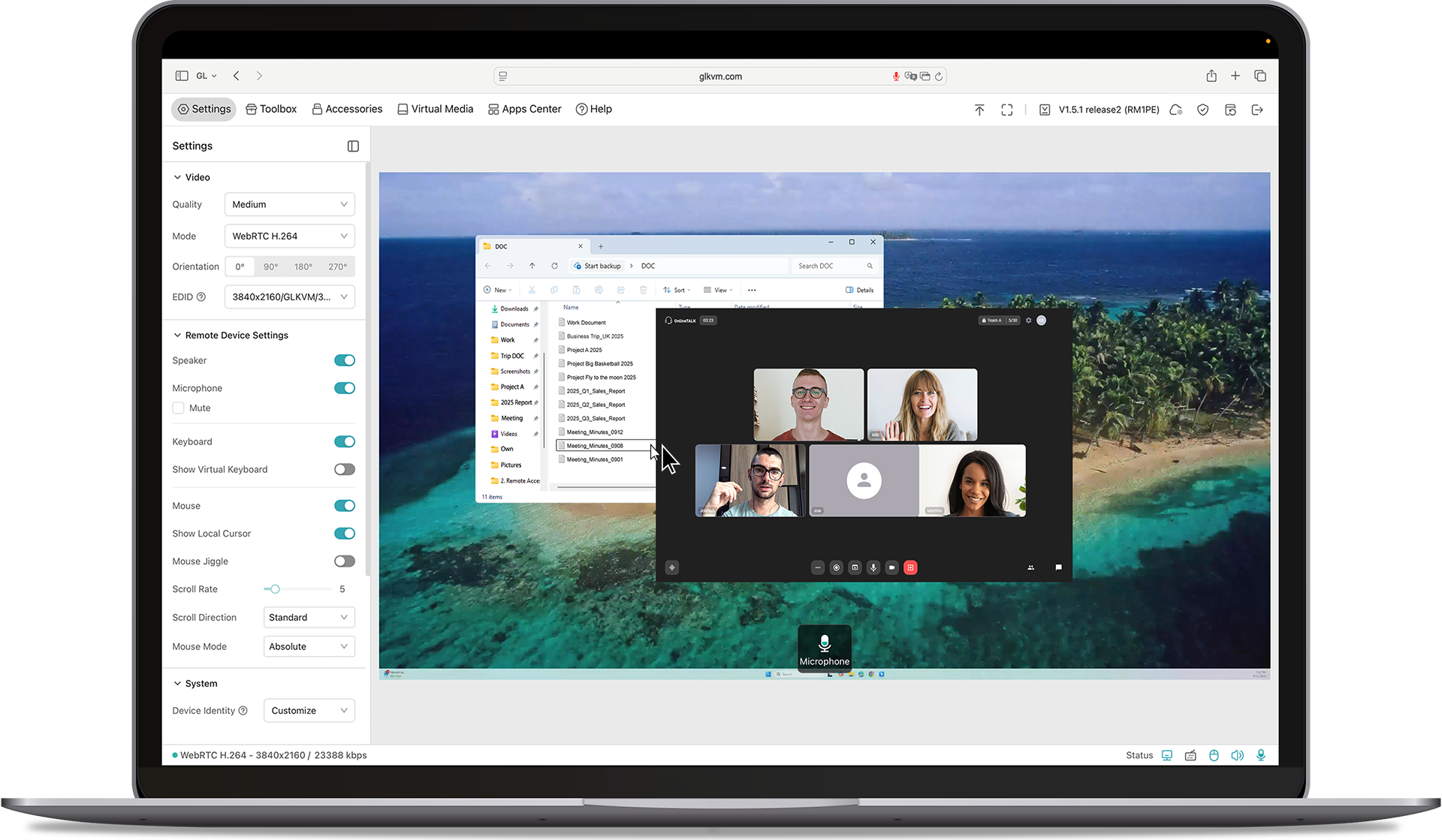
Browser-Based Access

4K@30FPS Video

Tailscale Support

BIOS Access

Self-Hosted Option

Home computer with Comet, remote KVM, for remote work, running video editing software.
Laptop remotely accessing home computer via Comet KVM for seamless video editing.
Work computer connected to Comet KVM for remote access, displaying late-night coding session.
Remote developer using laptop to control work computer via Comet KVM switch.
Home office setup with Comet KVM switch, laptop, and router for secure remote work.
Remote laptop access with Comet KVM, showing consistent workflow between devices.

Work Smarter from Home

Struggling with IT restrictions on your company laptop? Traditional KVM switches can be slow and disruptive, but Comet offers a smarter solution.

It allows remote workers to effortlessly switch between devices without pressing manual buttons or adding extra peripherals-no additional monitors, keyboards, or mouses needed. Keep your workspace clean, efficient, and fully optimized for productivity.

Effortless Home Server & Network Management

For tech enthusiasts and DIY hobbyists, managing home servers shouldn't be a hassle. Comet gives you direct hardware access from anywhere.

No more crawling into basements or closets just to troubleshoot-stay in control of your Raspberry Pi, home server, or network devices right from your desk. Save time, reduce clutter, and streamline your setup with Comet.

Secure Remote Access While Traveling

Comet provides a seamless way to access your home PC securely from anywhere-without relying on VPNs or dealing with ISP port forwarding restrictions.

Whether you need to maintain a home IP for work compliance or ensure uninterrupted access to your files, Comet keeps you connected with a plug-and-play wired setup. Travel freely while staying securely linked to your home network.

Browser-Based Remote Access

Access your systems directly through a web browser with built-in cloud service. No app installation, no complex VPNs-just log in and take control.

4K Video & Two-Way Audio

4K Video & Two-Way Audio

Enjoy ultra-clear remote sessions with up to 4K@30FPS output, complete with two-way audio for calls, troubleshooting, or live collaboration.

Mouse Controls

Mouse Controls

Relative Mouse Mode keeps local and remote cursors aligned on high-resolution screens, while Mouse Jiggle prevents sleep mode during long tasks.

Self-Hosted Lightweight Cloud Option

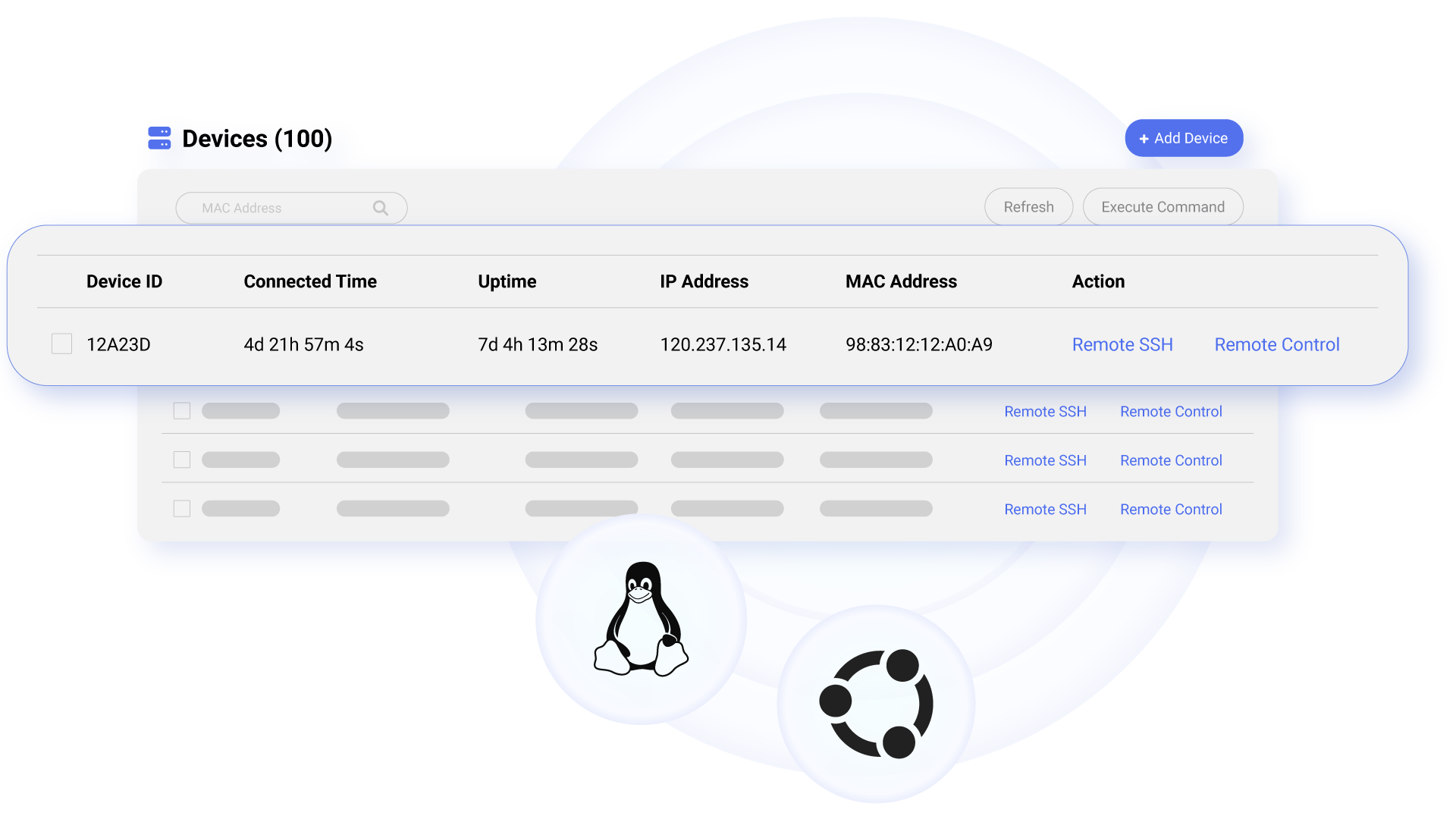
Comet supports self-hosted deployment on mainstream operating systems such as Linux and Ubuntu, giving you full control over your remote access environment.

Get started with 2 cores and 2GB RAM cloud server, then deploy in one click-no complex setup required. No personal information is collected by GL.iNet, ensuring a private experience.

Available on firmware version 1.5 and above.

Remote access Comet (GL-RM1) via any browser with self-host server for multi-device management

Restart Devices Remotely, and Effortlessly

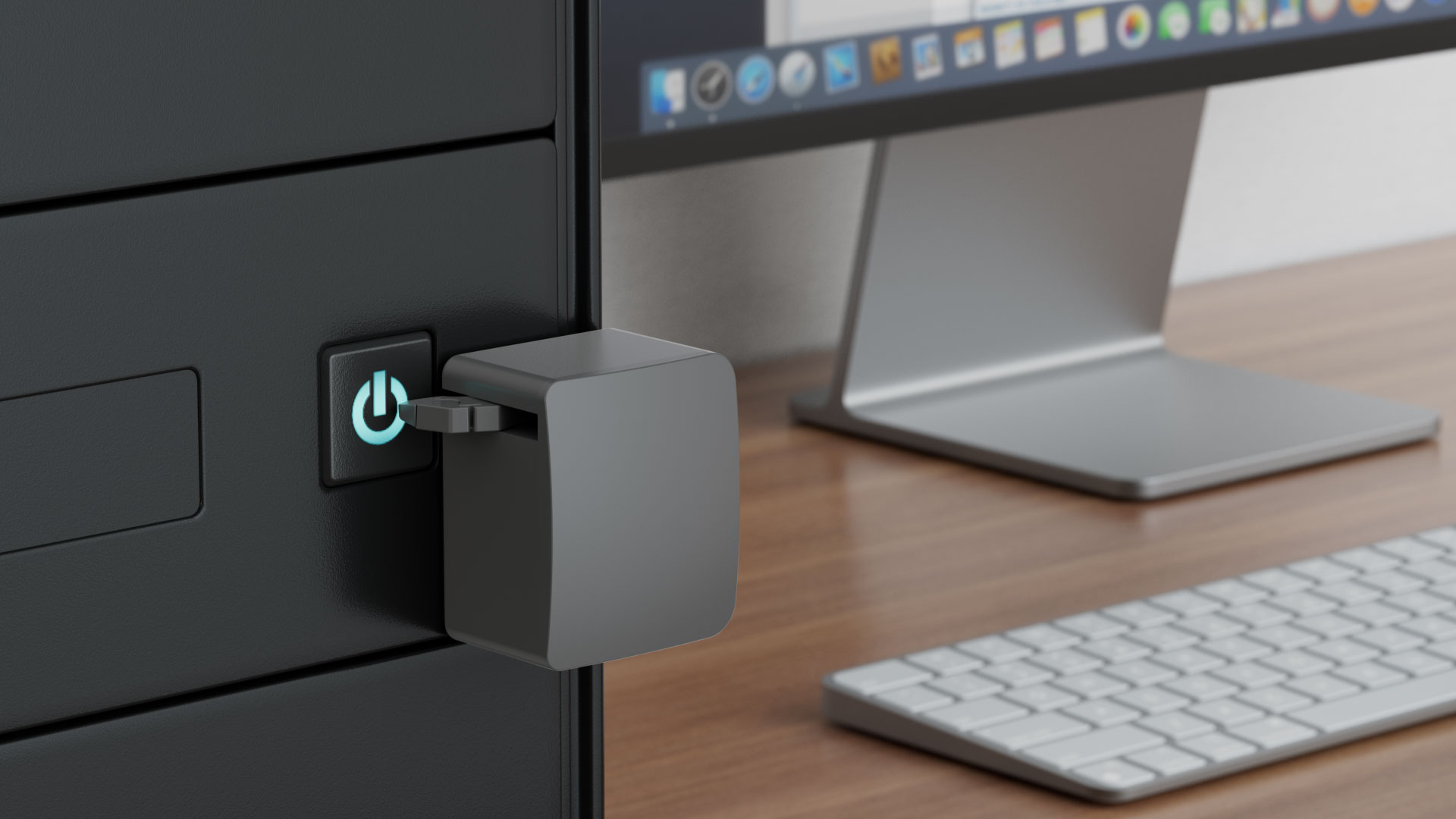
Comet enables remote power management by connecting to extension devices such as ATX Boards and Fingerbot, allowing users to power on/off, or restart any device-even those without internet connectivity-from anywhere. By eliminating the need for physical access, Comet reduces downtime, ensures seamless operation, and enhances efficiency, reliability, and cost-effectiveness.

The Story behind Comet

When our engineer lost remote access during a critical business trip, they knew there had to be a better way. That's why we created Comet (GL-RM1)—an affordable, plug-and-play remote KVM that works without public IPs, recovers from power outages, and gives you reliable control anytime, anywhere.

Product Reviews

Enabling MSPs to Achieve Efficient and Cost-Effective Remote IT Maintenance

Discover how Remote KVM over Internet solutions empower enterprises with secure, efficient, cost-effective IT maintenance.

Comet (GL-RM1) Remote KVM with 4K@30FPS vide resolution providng cost-effective remote IT maintenance solution

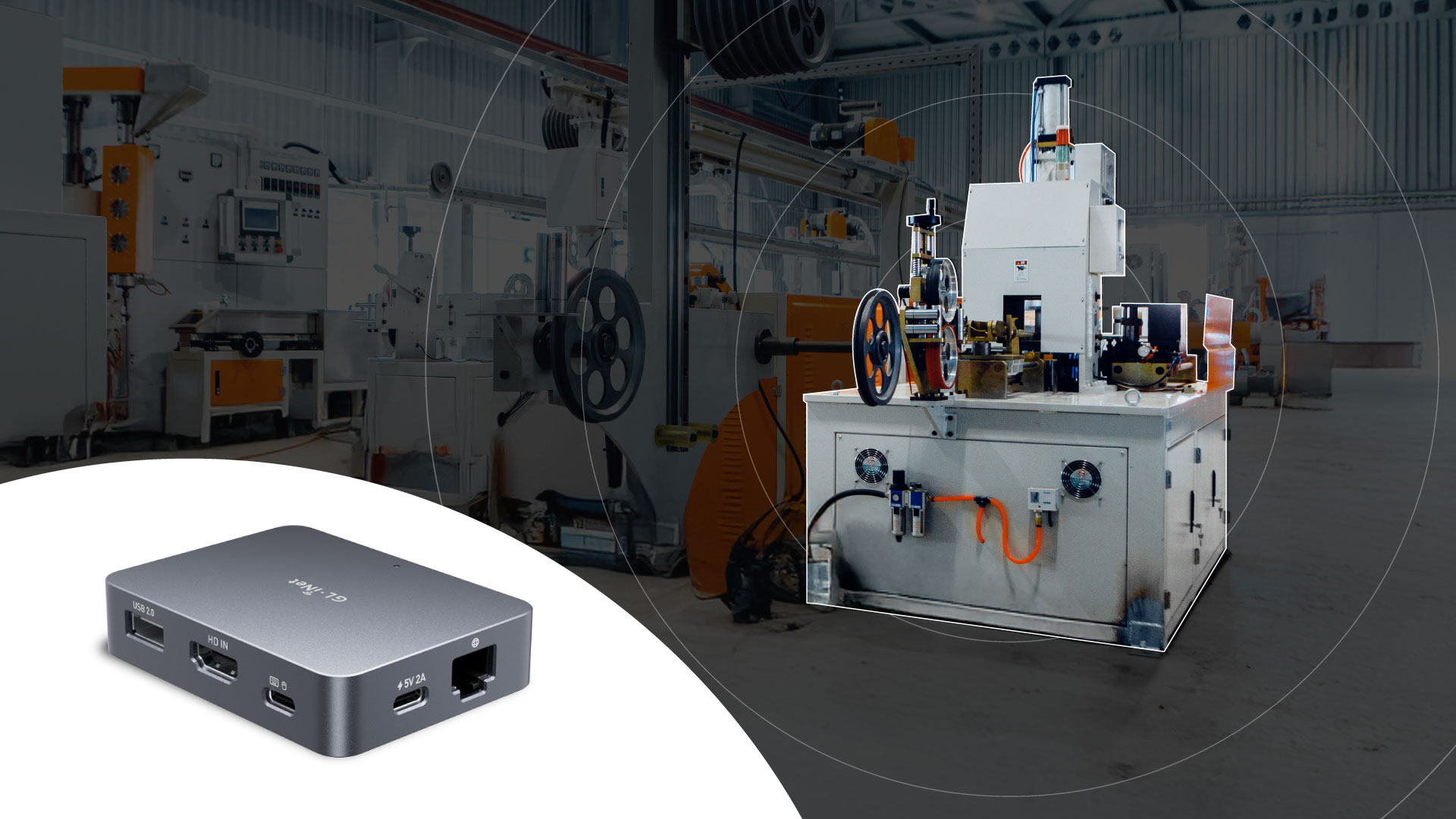
Threat Monitoring & Response for Industrial Equipments

Discover how GL.iNet KVM enhances industrial control efficiency, ensuring safety & cutting costs with real-time monitoring.

Threat monitoring and response for industrial equipments with Comet (GL-RM1) from GL.iNet

How Comet Stacks Up Against Other KVMs

Comet (GL-RM1)

KVM over Internet

Comet (GL-RM1)
ABCKVM

KVM over IP Solution

Latency

30-60ms

>100ms

Ethernet Speed

1 Gbps

1 Gbps

Resolution

3840x2160@30FPS

1920x1200@60FPS

Size

80 x 60 x 17.5mm

120 x 68 x 24mm

BIOS-Level Access

macOS/Windows Application Support

Remote Audio Output

Remote File Transfer

Lifetime Remote Access

Remote System Installation

CNC Metal Case

4K@30FPS Video Resolution
4K@30FPS
Video Resolution
H.264 hardware encoding with 30-60ms latency
H.264 hardware encoding
with 30-60ms latency
One-Time-Purchase
One Time Purchase
BIOS Access
BIOS Access
USB 2.0 External Extension
USB 2.0
External Extension
Audio Support
Remote
Audio Output
Desktop Application Support
Desktop
Application Support
Gigabit Ethernet
Gigabit
Ethernet

Specifications

Interface 1 x Ethernet port
1 x USB 2.0 port
1 x HDMI-IN port
1 x Type-C power port
1 x Reset button
CPU Quad-core ARM Cortex-A7
Memory / Storage DDR3 1GB / 8GB eMMC
Ethernet Speed 10/100/1000Mbps
Resolution 4K@30fps
Power Input Type-C, 5V/2A
Dimension 80 x 60 x 17.5mm / 85g
Tools & Downloadables Datasheet | App | Product Teaser | Tutorials | Firmware | GitHub | Media Kit
Policy & Agreement Privacy Policy | User Service Agreement

Specifications:

  • CPU: Quad Core ARM Cortex-A7
  • Memory / Storage: DDR3 1GB / 8GB eMMC / N/A
  • Protocol: N/A
  • Wi-Fi Speed: N/A
  • Antennas: N/A
  • Cellular: N/A
  • Battery: N/A
  • TF Card Slot: N/A
  • USB Port: N/A
  • Ethernet Port: 1 x Ethernet port 1 x USB 2.0 port 1 x HDMI-IN port 1 x Type-C power port 1 x Reset button
  • Ethernet Speed: 10/100/1000Mbps
  • Power Input: Type-C, 5V/2A
  • Power Consumption: N/A
  • Dimension / Weight: 80 x 60 x 17.5mm / 85 g

Package Content:

  • 1*Comet (GL-RM1)
  • 1*USB-A to Type-C Cable
  • 1*Type-C to Type-C Cable
  • 1*Ethernet Cable(80cm)
  • 1*HDMI Cable(50cm)
  • 1*Warranty Card
  • 1*User Manual
  • 1 x Power Adapter

Tools & Downloadables:

Expand Your Remote Control

One sensor can pair up with multiple lights at once.
  • One sensor can pair up with multiple lights at once.
    💡Just a note: Don't forget to choose your Smart+ Sensors in STEP 2!
💡Just a note: Don't forget to choose your Smart+ Sensors in STEP 2!

FAQ

How does Comet differ from remote desktop software?

Comet, a remote KVM offers hardware-level control, meaning you can access and fix a machine even if the OS crashes or the device is unresponsive. While traditional remote desktop software relies on the operating system and network connectivity, making it unusable during system failures or a power-off device.

Do l need to know the code to use it?

No. Setup is quick and easy - all you need to do is connect the cables and bind Comet to the APP. That's it! You're ready to control your devices.

Is Comet suitable forpersonal use at home?

Yes, especially for:
Remote Office: Perfect for setting up and managing your personal server or experimenting with different operating systems.
Remote Workers: Access and control your office computer from home, seamlessly integrating work and home life.
Casual Users: Comet's intuitive interface makes it easy to use even for those without technical expertise.

Overall rating: 5.0 / 5 from 29 reviews.

AI Generated Review Summary

The Comet Remote KVM over Internet allows users to control computers remotely with features like 4K@30FPS video, ultra-low latency, and remote file transfer. It offers a one-time purchase with no subscription fees and supports self-hosted deployment. Users praise its seamless remote performance, ease of setup, and ability to manage devices from anywhere.

Summary topics

  • Remote KVM Appreciation: 20%
  • Remote Device Control: 12%

Review topics: ["support","connection","setup","issues","performance","works","device","updates","kvm","access","system","latency","comet"].

Review highlights

  • "i like gl-inet products, this kvm works good and fast."Pavel
  • "Great Device, easy setup, fast response times"Anibal T.
  • "IT is the exact remote device i have been looking for."Shaun H.

Reviews

Great little device

"Great Device, easy setup, fast response times"

Anibal T. (5/5)

Great KVM overall 4. 9/5 stars

"Great KVM overall. 2 things that can use improvement: A. Allow for copy paste between machines versus just having virtual media. B. 2FA randomly expires and needs to re-login. Setting a pre-defined "trust this device" status should solve it."

Dimitrios D. (5/5)

Excellent Product

"The Comet (GL-RM1) has performed spectacularly throughout my ~1 year use of it. It doesn't require the installation of any applications, saving me from wasting time configuring settings on Remote Desktop applications that run in the background. The latency is excellent and I was able to play games smoothly (though the Comet but on the same local network). The occasional firmware updates have been great, and the Discord community offers quick help with issues and unique feature requests. Some of these requests eventually even become part of the new firmware, and even without requests, some new things still get added, like the new ZeroTier support. Previously at launch, only Tailscale support was implemented, but it wasn't able to be updated unless it was included in a new firmware version. Now with new firmware, we can update tailscale as we wish and we have ZeroTier support. I have been using my Comet with my Reolink PoE NVR system (RLN8-410) and they're both connected via ethernet to an Asus router acting as a Wi-Fi adapter for both devices. Although the Comet Pro would likely perform better in this situation (it has Wi-Fi 6 built-in and so it would no longer need to share a network connection with the NVR), the Comet offers a more affordable and industrial design that can withstand heavier use in a non-ideal environment which suits my needs perfectly. The user-friendly UI and GoodCloud service make this a definite recommend for basic and advanced users."

DaNobody (5/5)

A solid product

"Easy to set up, easy to use. Absolutely no problems so far."

dvv (5/5)

"Love this device, perfect for a replacement for remote desktop behind a firewall. 2fa available in the latest version and accessible from the browser. Not POE, but you can get a POE splitter to take care of it. I now have three of these devices driving my homelab. Best product I have bought in a few years. I highly recommend."

Neil (5/5)

Great product

"I bought this because I wanted to have remote access at my parents running open media vault. I had another product that wasn't providing video output at all and gave this a shot. This product did exactly what I wanted. Once I set it up, I was able to view my server remotely and everything worked. No issues with boot screen like the other product. I did have a minor hiccup when Installing the atx accessory board. I had to flip the polarity wires on my Asus z77 sabertooth motherboard. Once that was done, it worked as expected being able to turn the PC on and off remotely. Price was great. If you can wait, then wait around black Friday. I'd also got to give a shout out to the customer service team. They are 😎! Keep up the great work!"

thanh d. (5/5)

Solid option

"Performs well, has features that are useful, and not terribly expensive."

James R. (5/5)

Great product and even better customer service.

"I’ve been using the GL. iNet Comet Pro Remote KVM over Wi‑Fi along with the Comet (GL‑RM1) Remote Keyboard Video Mouse, and overall I’m really impressed with what these devices can do. I did run into an odd conflict where F11 stopped working in VS Code, but GL. iNet’s support team helped me track it down quickly. Their GLKVM. exe app was intercepting the key globally, and once I knew that, the fix was simple. I ended up switching to the browser interface—which honestly works great and avoids the issue entirely. For anyone who prefers the desktop app, it’s also easy to disable the F11 handler by editing the app. asar file, and support even provided the exact lines to remove and how to repack it. Nice to see a company that gives real, practical solutions instead of runaround answers. With the workaround in place, the Comet Pro has continued to be rock‑solid for remote access, and the KVM performance over Wi‑Fi is surprisingly smooth. Even with that small hiccup, I’m really happy with the setup and appreciate how responsive their support team was in helping me get everything sorted out."

Christopher Q. (5/5)

Just do the update from

"Just do the update from v1. 3 to v1. 7 and you will get best performance from new WebRTC protocol. Work perfectly."

Veaceslav S. (5/5)

Works Flawless - One of my best investments.

"Its just amazing, best value for money. Very compact and connectivity is straight forward. The best latency among any other IP kvm products. The support is amazing. Keep up the good work!"

Talha S. (5/5)

Q&A

Compare products

{"one"=>"Select 2 or 3 items to compare", "other"=>"{{ count }} of 3 items selected"}

Select first item to compare

Select second item to compare

Select third item to compare

Compare